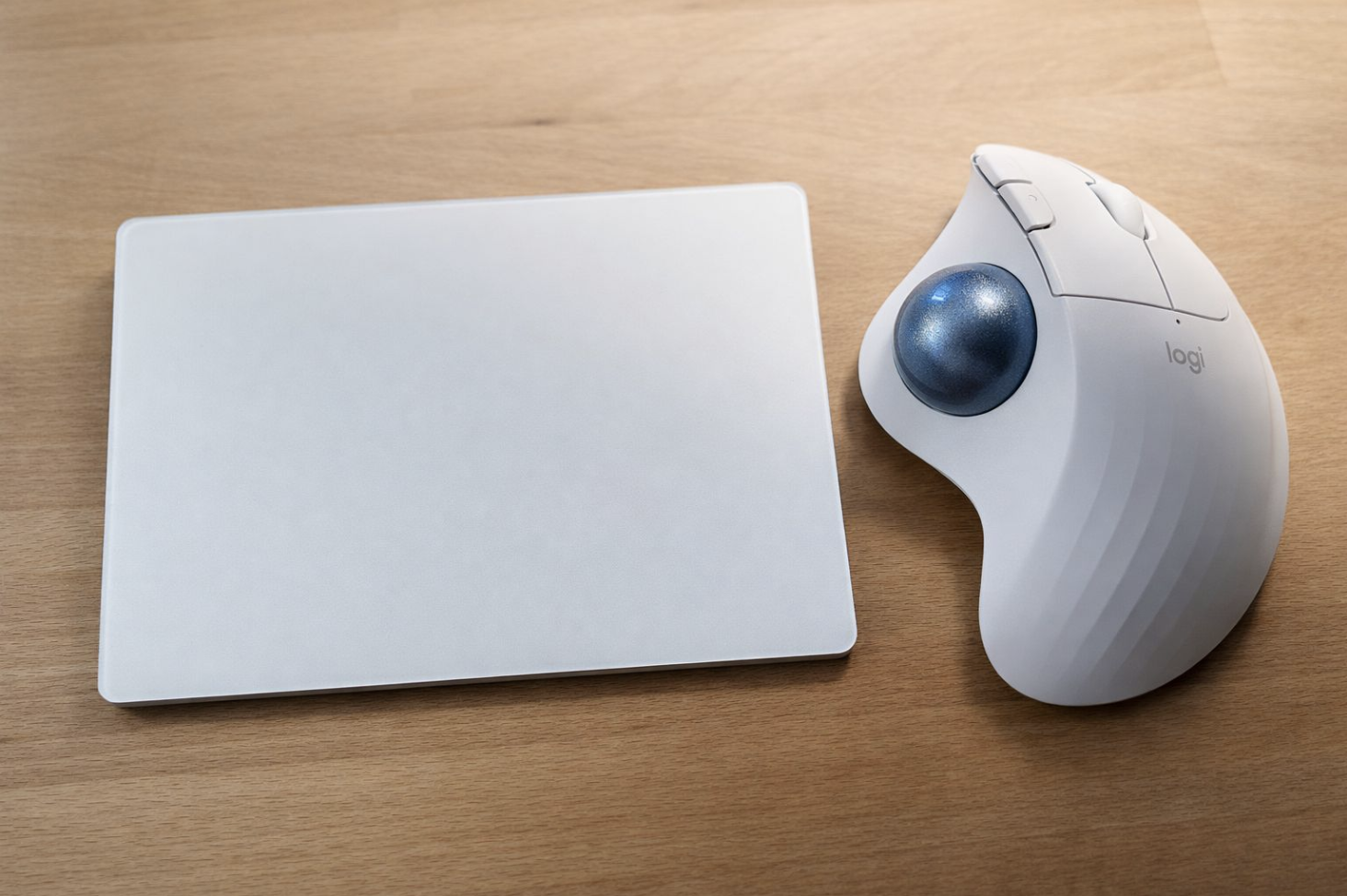
Trackpad vs Trackball: first impressions from an editor’s desk 🖥️✋For the last 5 years, I’ve been working almost exclusively with the Apple trackpad — both on my MacBook and as a standalone device.
I love its... Read more
Trackpad vs Trackball: first impressions from an editor’s desk 🖥️✋
For the last 5 years, I’ve been working almost exclusively with the Apple trackpad — both on my MacBook and as a standalone device.
I love its precision, gestures and overall logic. It feels natural for editing.
The reason I originally switched to the trackpad is quite simple.
Years ago, Apple had a mouse with a small four-directional scroll “ball” in the middle. It allowed both horizontal and vertical scrolling — which was perfect for navigating timelines, folders and images. When that mouse disappeared and Magic Mouse became the main option, it never really worked for me. The touch surface felt too sensitive: I constantly had to watch my fingers to avoid accidental gestures or clicks. That kind of tension breaks the flow when you’re editing.
I also tried looking for alternatives from other brands, but most solutions offered two separate scroll wheels for horizontal and vertical scrolling. It never felt intuitive. In the end, the trackpad turned out to be the most natural and flexible solution for my workflow.
Recently, though, I started noticing finger fatigue during smaller, repetitive tasks:
browsing music libraries, searching for footage, sorting files, lots of tiny clicks.
With the trackpad, the same fingers tend to take most of the load over long sessions.
So I decided to add a second input device into my workflow and try a trackball (Logitech M575).
What I found interesting right away:
Navigation moves to the thumb, while the other fingers handle clicks — the load is redistributed.
Coming from a trackpad (not a mouse), the transition felt easier than I expected.
It’s surprisingly comfortable for timeline navigation in editing software.
What still feels unusual:
My brain wants to “click” the ball itself (trackpad muscle memory 😅).
Scrolling web pages and long Finder lists now requires a dedicated scroll wheel instead of two fingers.
Repositioning the hand after moving back and forth between keyboard and trackball still feels slightly awkward for now.
At this point, I don’t see the trackball as a replacement for the trackpad.
The trackpad is still my main and favourite input device. The trackball feels more like a complementary tool — a way to vary hand movement and reduce repetitive strain by switching muscle groups during long sessions.
My current plan is simple: rotate between trackpad and trackball during the day and see how it affects comfort over time.
Curious how others structure their input setup in post-production:
trackpad, mouse, trackball, tablet — or some hybrid approach? 👀⚙️
For the last 5 years, I’ve been working almost exclusively with the Apple trackpad — both on my MacBook and as a standalone device.
I love its precision, gestures and overall logic. It feels natural for editing.
The reason I originally switched to the trackpad is quite simple.
Years ago, Apple had a mouse with a small four-directional scroll “ball” in the middle. It allowed both horizontal and vertical scrolling — which was perfect for navigating timelines, folders and images. When that mouse disappeared and Magic Mouse became the main option, it never really worked for me. The touch surface felt too sensitive: I constantly had to watch my fingers to avoid accidental gestures or clicks. That kind of tension breaks the flow when you’re editing.
I also tried looking for alternatives from other brands, but most solutions offered two separate scroll wheels for horizontal and vertical scrolling. It never felt intuitive. In the end, the trackpad turned out to be the most natural and flexible solution for my workflow.
Recently, though, I started noticing finger fatigue during smaller, repetitive tasks:
browsing music libraries, searching for footage, sorting files, lots of tiny clicks.
With the trackpad, the same fingers tend to take most of the load over long sessions.
So I decided to add a second input device into my workflow and try a trackball (Logitech M575).
What I found interesting right away:
Navigation moves to the thumb, while the other fingers handle clicks — the load is redistributed.
Coming from a trackpad (not a mouse), the transition felt easier than I expected.
It’s surprisingly comfortable for timeline navigation in editing software.
What still feels unusual:
My brain wants to “click” the ball itself (trackpad muscle memory 😅).
Scrolling web pages and long Finder lists now requires a dedicated scroll wheel instead of two fingers.
Repositioning the hand after moving back and forth between keyboard and trackball still feels slightly awkward for now.
At this point, I don’t see the trackball as a replacement for the trackpad.
The trackpad is still my main and favourite input device. The trackball feels more like a complementary tool — a way to vary hand movement and reduce repetitive strain by switching muscle groups during long sessions.
My current plan is simple: rotate between trackpad and trackball during the day and see how it affects comfort over time.
Curious how others structure their input setup in post-production:
trackpad, mouse, trackball, tablet — or some hybrid approach? 👀⚙️